Important Update : Crawling Instagram

Instagram made a recent change to the way they serve images. To capture Instagram images you'll need to either ignore robots.txt for the host fbcdn.net at the collection level - OR - ignore robots.txt at the seed level for your Instagram seeds.
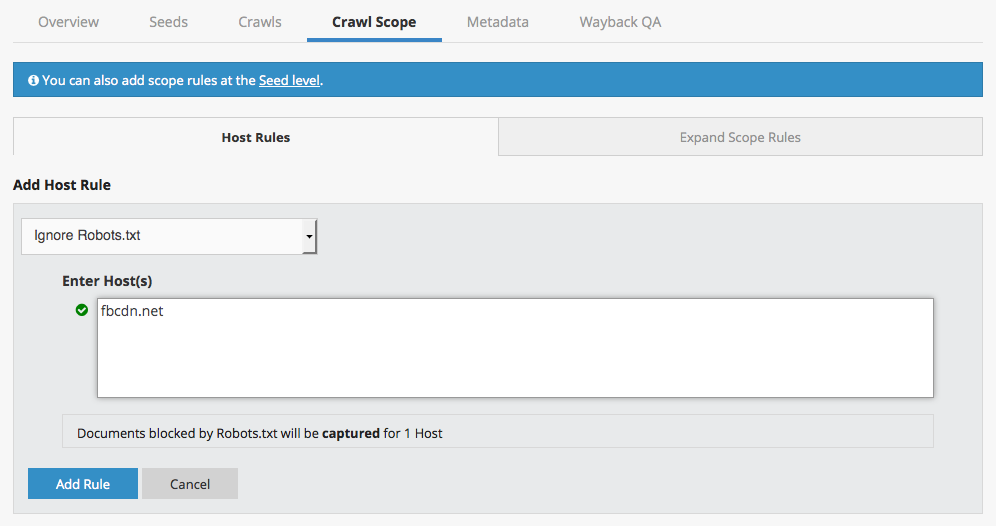
This host rule is already recommended for Facebook, so if your Instagram seeds are in a collection that includes collection level scoping rules for Facebook, you shouldn't need to change anything.
We recommend checking any Instagram captures from the last two weeks to make sure the images were captured, and updating the rules if necessary.
Specific instructions on updating your Instagram scoping rules can be found on the Archiving Instagram Feeds page.
-
Official comment

Please note that Instagram recently changed their robots.txt file. Now, to capture Instagram, you'll need to either ignore robots.txt for the both the hosts fbcdn.net and www.instagram.com at the collection level - OR - ignore robots.txt at the seed level for your Instagram seeds.
If you were already ignoring robots.txt at the seed level, you will not need to make any changes in order to continue capturing Instagram.
Our help center documentation on Instagram has been updated to reflect this change.Comment actions
Please sign in to leave a comment.
Comments
1 comment